How to Optimize Your Google Maps Listing for Increased Foot Traffic in Mumbai - 2026 Tips

You've invested in your Mumbai business — the ideal location, quality products, and skilled staff. Yet, when locals search for "biryani near me" or "shoe repair in Bandra," your shop doesn’t appear. Instead, a competitor gains that valuable walk-in customer. This isn’t a marketing failure; it’s a Google Maps visibility issue.
In 2026, Google Maps is more than just a navigation tool. For millions of Mumbai residents commuting between Andheri and Churchgate, taking autos in Dharavi, or visiting weekend spots in Juhu, it’s the primary way they discover local businesses. If your Google Business Profile (GBP) isn’t optimized, you’re invisible to a significant portion of your potential customers.
The good news? You don’t need a large budget or agency to improve your visibility. You need a strategic approach tailored to Mumbai’s unique market. Here’s what’s proven effective for Mumbai businesses in 2026.
Step 1: Claim and Complete Your Google Business Profile Thoroughly
Surprisingly, many Mumbai businesses either haven’t claimed their Google listing or have incomplete profiles. Google’s algorithm ranks unclaimed or sparse profiles lower, reducing your chances of appearing in local searches.
Visit business.google.com to claim your profile. Then, fill out every field accurately:
Business Name: Use your official trading name without keyword stuffing. For example, "Ananya Saree House" instead of "Ananya Saree House Best Sarees Mumbai."
Category: Select the most specific primary category. For instance, choose "Medical Laboratory" instead of just "Health."
Secondary Categories: Add up to nine relevant categories that reflect your services.
Address: Ensure your location pin is precise. In Mumbai, a single lane can separate neighborhoods like Mahim and Dharavi, so accuracy is crucial.
Phone Number: Use a local Mumbai number (022 prefix or Mumbai-registered mobile) to build trust.
Website and Booking Links: Link to your official website or booking page.
Business Hours: Keep hours updated, especially during holidays and festivals like Ganesh Chaturthi and Diwali, as Google displays "Closed" notices that customers rely on.
Step 2: Craft a Clear, Customer-Focused Business Description
Your business description (up to 750 characters) should speak directly to potential customers, not just search engines. Highlight what makes your business unique.
For example, if you run a salon in Powai, specify whether you specialize in bridal makeup, hair treatments, or both. If you offer a tiffin service in Dadar, explain what sets your meals apart from competitors. Authenticity drives conversions better than keyword stuffing.
Include local landmarks naturally to help both customers and Google understand your location. Phrases like "located near Phoenix Palladium in Lower Parel" provide valuable context.
Step 3: Use High-Quality Photos to Showcase Your Business
Google reports that businesses with more quality photos receive significantly more direction requests and clicks. In Mumbai’s competitive market, your photos act as your storefront.
Recommended photos to upload:
Exterior: Daytime shots from multiple angles showing your shop and entry signage.
Interior: Clean, well-lit images of your space—avoid stock photos.
Team: Photos of your staff to build trust and connection.
Products or Services: Clear images of what you offer.
360° Photos or Video Walkthroughs: These are increasingly featured in local search results but remain underused by Mumbai businesses.
Update photos regularly—at least monthly—to signal activity to Google’s algorithm.
Step 4: Develop a Genuine Review Strategy
Reviews heavily influence Google Maps rankings. Avoid fake or purchased reviews, which can lead to penalties. Instead, cultivate authentic feedback consistently.
How to encourage real reviews:
Ask at the right moment: Train staff to request reviews immediately after positive customer interactions.
Use QR codes: Place QR codes linking directly to your Google review page at your counter or on receipts.
WhatsApp follow-ups: Since WhatsApp is widely used in Mumbai, send polite follow-up messages with review links.
Respond to all reviews: Address both positive and negative feedback professionally to demonstrate your commitment to customer satisfaction.
Consistency matters more than volume. Aim for a steady flow of five new reviews per month rather than bursts followed by inactivity.
Step 5: Post Regular Updates on Your Google Business Profile
Google Business Profiles include a posts feature similar to social media feeds. These posts appear in your Maps listing and local search results.
Use posts to share:
New products or services
Seasonal offers (e.g., Diwali discounts, Monsoon specials)
Events you’re hosting
Changes to business hours or location
Since posts expire after seven days, make posting a weekly habit. Regular updates signal activity to Google, potentially increasing your listing’s visibility.
Step 6: Optimize for "Near Me" Searches with Local Keywords
“Near me” searches are increasingly common, especially in a dynamic city like Mumbai. To capture this intent:
Within your profile:
Incorporate neighborhood names, localities, and landmarks naturally in your description and posts. For example: "Serving Bandra West near Turner Road for over 12 years."
Use Google’s Q&A section proactively by adding frequently asked questions and answering them with relevant local terms.
On your website:
Ensure your Name, Address, and Phone number (NAP) exactly match your Google Business Profile.
Create a dedicated contact or location page with an embedded Google Map.
Step 7: Utilize the Products and Services Sections Fully
Google allows you to list products and services with photos, descriptions, and prices directly on your profile. Many Mumbai businesses overlook this feature, missing a key opportunity.
For example, a customer searching "leather wallet under ₹500 in Colaba" is more likely to engage with a listing that displays wallets in its products section. This pre-qualifies your business before they even click.
Keep this section accurate and updated to reflect your current offerings.
Step 8: Monitor Your Insights and Adapt
Google Business Profiles provide analytics to track how customers find and interact with your listing. Review these insights monthly, focusing on:
Customer discovery methods (direct vs. discovery searches)
Actions taken (calls, direction requests, website visits)
Photo views and engagement
Search terms used
Use this data to refine your strategy. For instance, upload more photos similar to your most viewed ones or post more about services that drive direction requests.
Mumbai-Specific Tips
Mumbai’s unique environment calls for tailored strategies:
Local train proximity: Many residents plan outings around train commutes. Mention if you’re near stations, e.g., "2-minute walk from Khar Road station."
Parking information: Parking is scarce in Mumbai. If you offer parking or valet services, highlight this as a competitive advantage.
Festival hours: Update your business hours ahead of major festivals. Customers appreciate this transparency, and Google displays holiday hours prominently.
Language in posts: Posting occasionally in Hindi or Marathi resonates culturally and can boost local engagement.
Conclusion: Consistent Optimization Drives Foot Traffic
Optimizing your Google Maps listing is an ongoing process, but many Mumbai businesses neglect even the basics. This presents a significant opportunity for you.
Start by claiming and completing your profile, uploading authentic photos, and fostering a steady stream of genuine reviews. Then, incorporate regular posts, detailed product listings, and monthly insights reviews. Within three to six months, you should notice increased direction requests, calls, and walk-ins.
Your business is worth visiting — now make sure Mumbai can find you.
Need help auditing your Google Business Profile or crafting a local SEO strategy for your Mumbai business? Contact us for expert guidance and honest feedback.
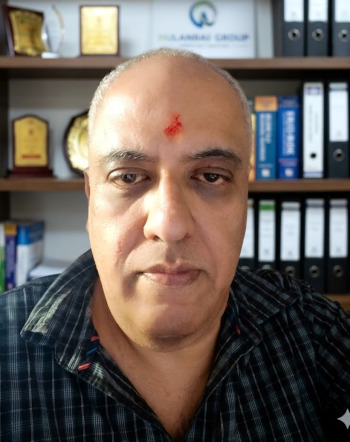
Sumeet Shroff is a digital marketing strategist and local SEO consultant based in Mumbai with over a decade of experience helping Indian businesses build their online presence. He specializes in helping small and mid-sized businesses compete effectively in hyper-local markets through practical, no-nonsense digital strategies.